How to Open XAU/USD Chart
To open an XAU/USD chart on the MT4 platform, a trader needs to select the File menu as shown below and then choose the New Chart option.
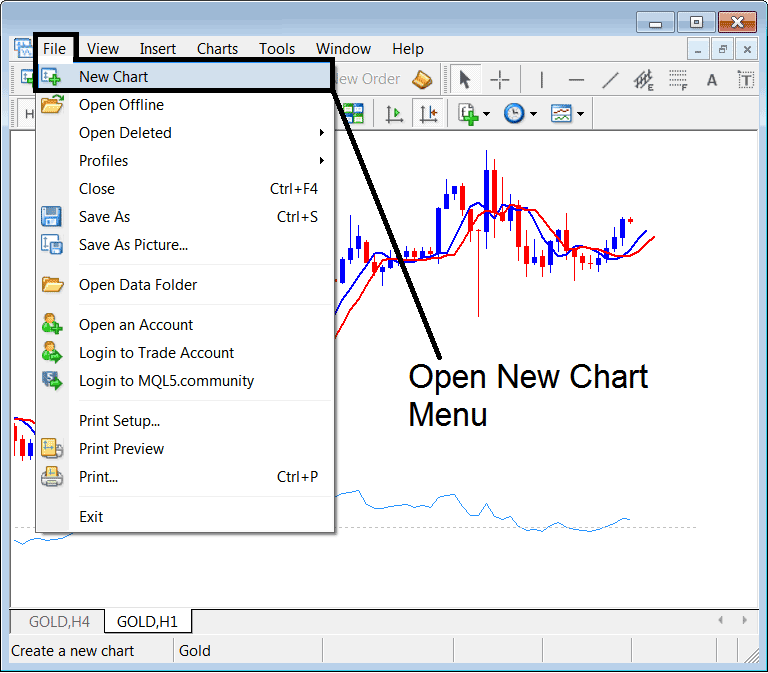
Open New Chart - Gold Chart on MT4 Software Platform
A trader will then select the "Spot Metals" Menu like as shown below and after which they can open the XAUUSD trading chart such as shown below.
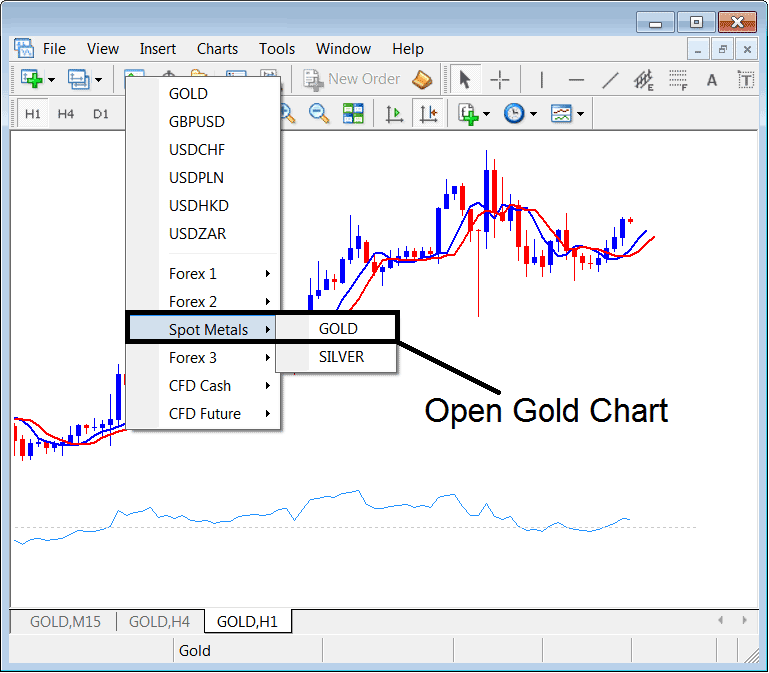
Open Gold Chart - Gold Chart
The Gold Chart will then look like the picture below, and traders can then begin to trade and study how the Gold price changes using this chart.
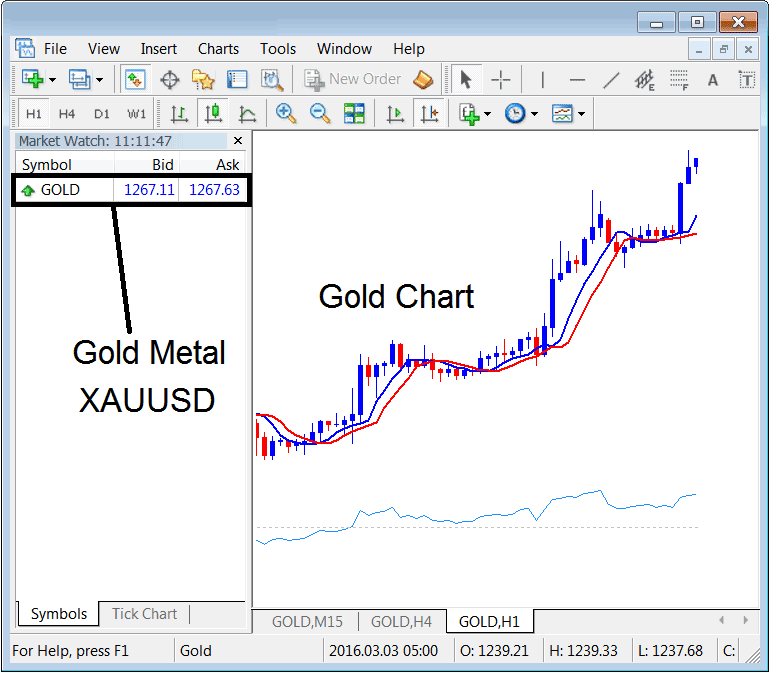
Gold Chart on MT4 Software Platform
A trader can also open a new Gold chart from the marketwatch window such as shown above. The trader can choose the "View" menu next to "File" menu at the top left corner and then choose "MarketWatch"and the above market watch panel will appear and traders can open a Gold chart from this Market-Watch window. One can also use the shortcut keyboard keys of CTRL+M to access the Market Watch window.
Study More Courses and Topics:
- Using the True Strength Index for buy signals
- Drawing Upwards Channel on MT4 Trade Charts Described
- Technique for Drawing Downward XAUUSD Trend-lines within the MT5 Software
- What's a Standard XAU USD Account in XAU/USD?
- How to Set Your XAU USD Take-Profit Order in MT4 on Android
- Spotting Classic Bullish and Bearish Divergences on XAU USD Charts
- Setting Up Buy and Sell Orders for XAU/USD Directly on XAU USD Charts
- How to Add Momentum Gold Indicator on Chart
- How Do You Analyze/Interpret XAU/USD Chart Data from MT5 Gold Chart Data Window?
- Gold Multi-Timeframe Trade Systems for Diverse Strategies